Windows apps · Microsoft Store
Software with a sharp edge and a little zest.
SenseiLemon builds focused Windows tools that do one job with discipline: move files faster, organize your movie shelf, convert video on the hardware you already own. No accounts, no tracking, no clutter. Just clean technique.
Three disciplines
Each one a Windows app · Free on the Microsoft Store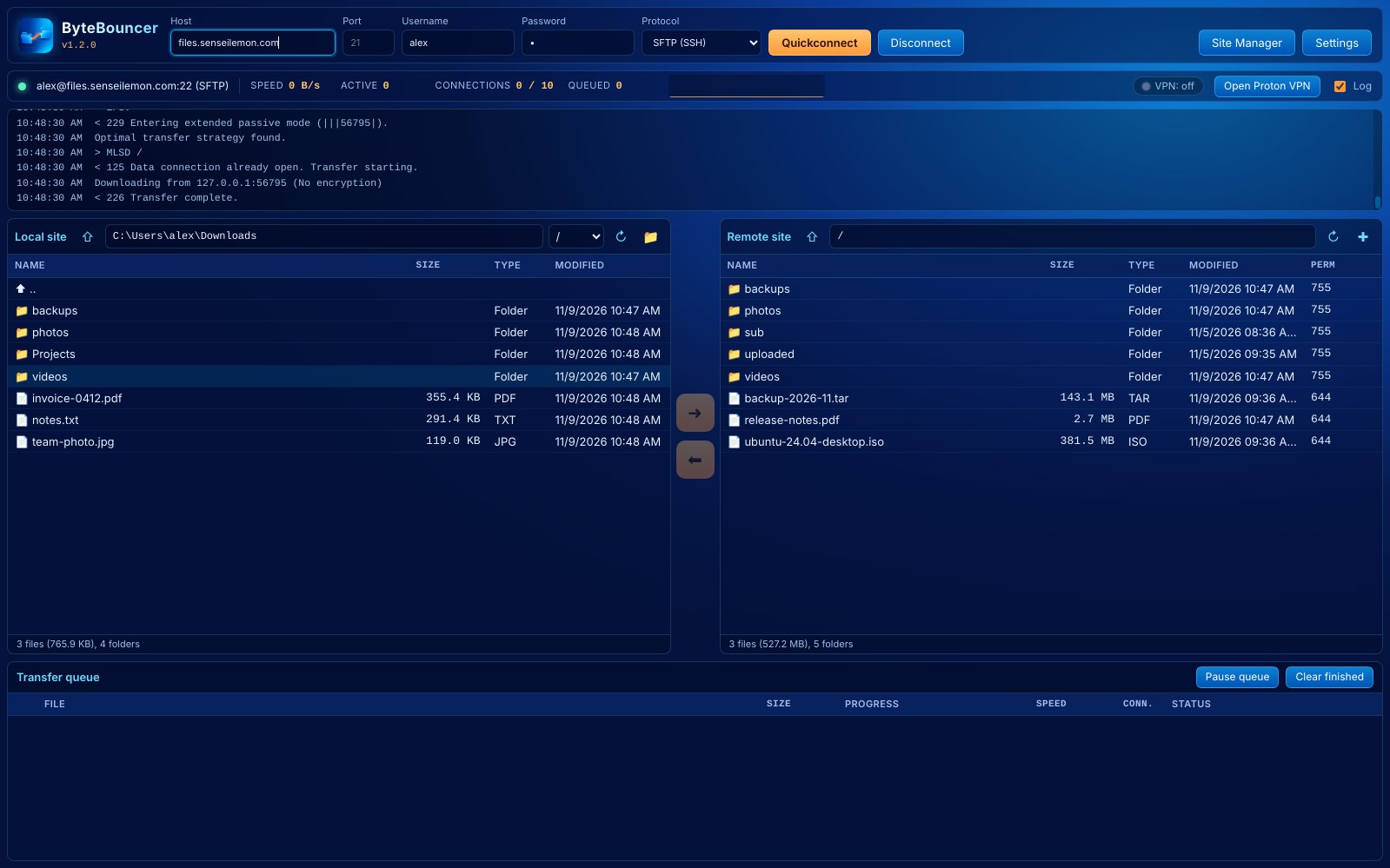

ByteBouncer
Splits big downloads across many connections at once so your transfers fill the whole pipe, not a trickle of it.
Explore ByteBouncer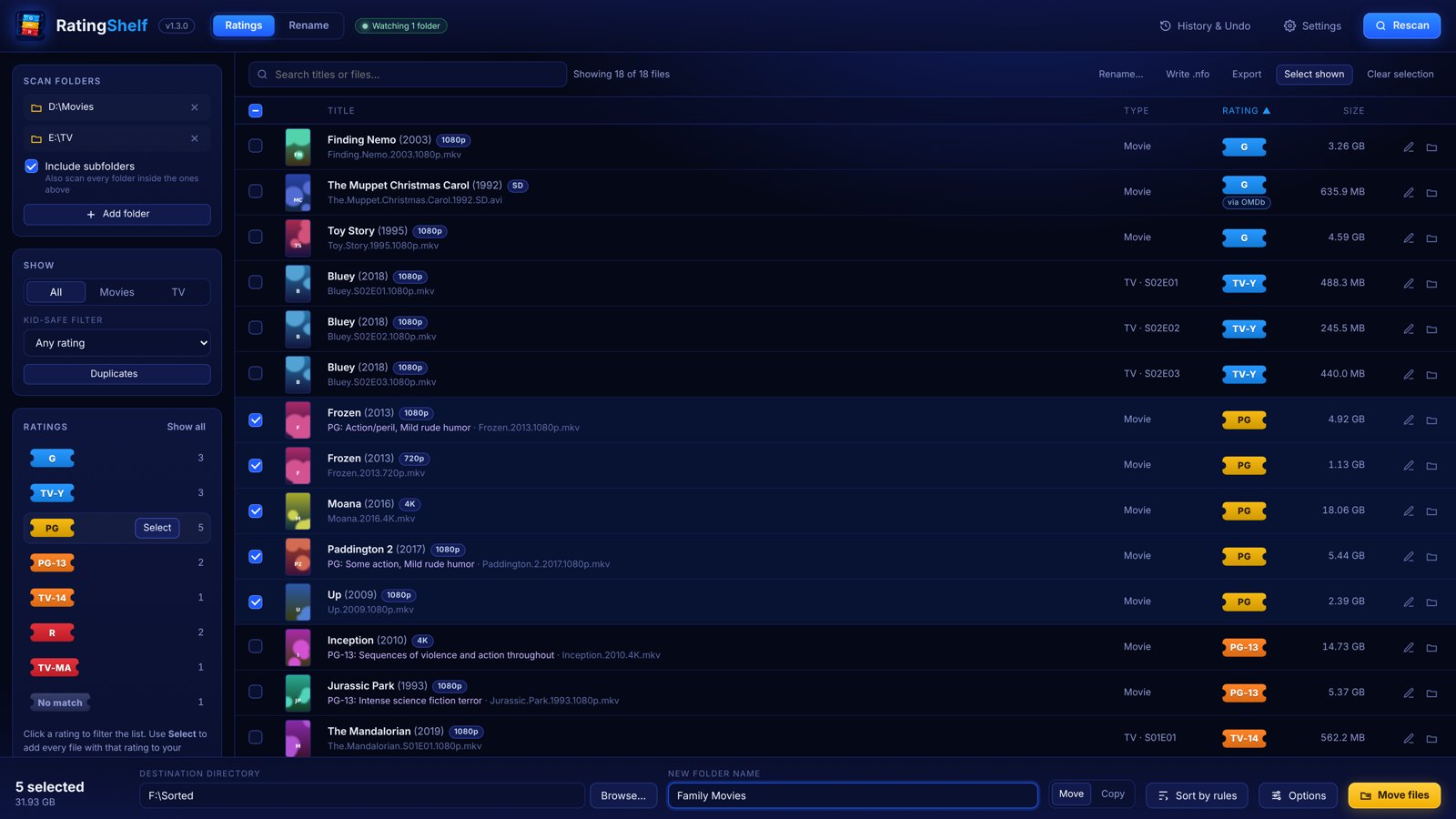

RatingShelf
Looks up the G-to-R and TV-Y-to-TV-MA rating of every movie and show on your PC, then renames and sorts them onto the right shelf.
Explore RatingShelf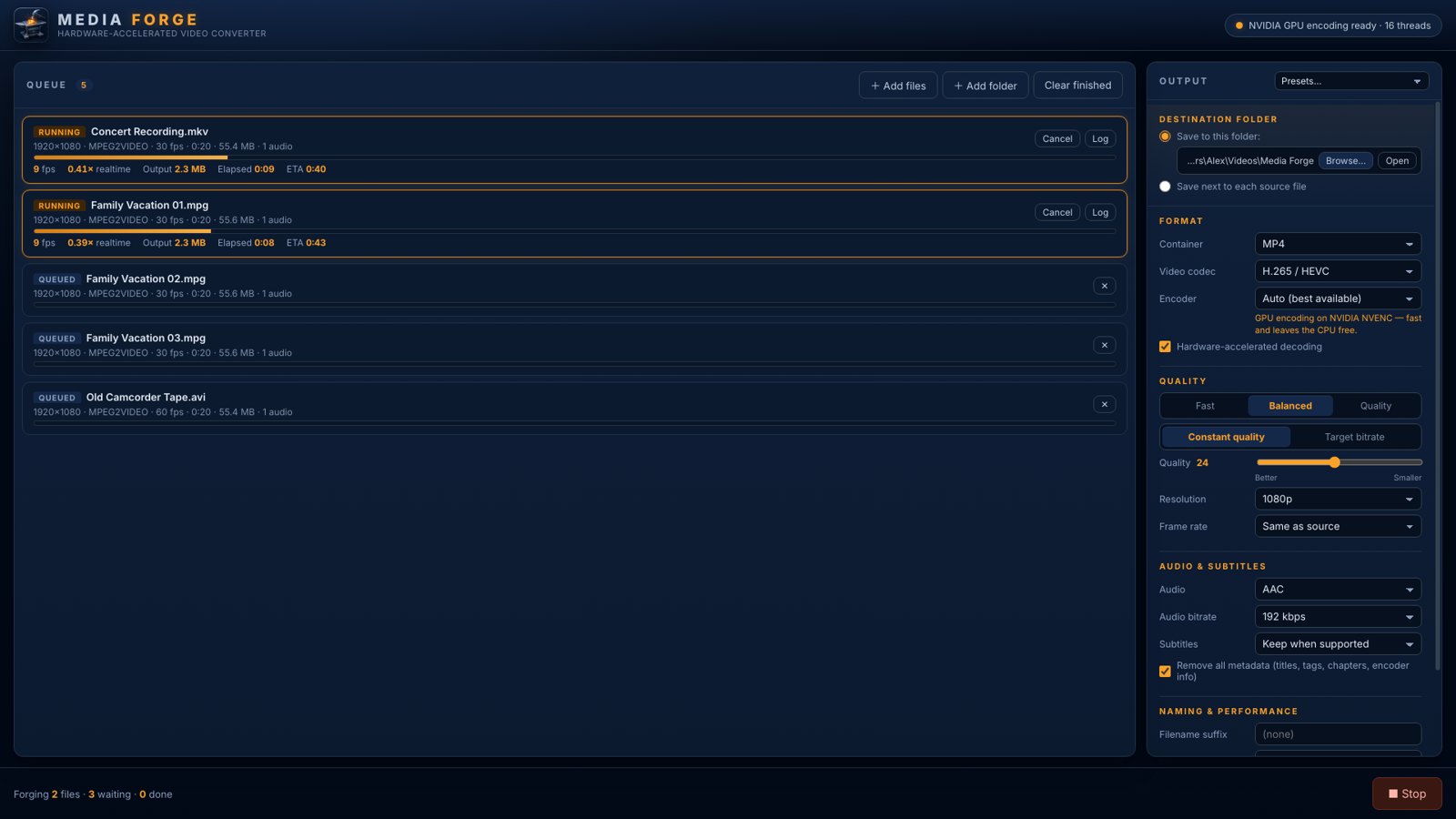

MediaForge
Converts MKV, AVI, MOV and more to MP4, HEVC or AV1 using your NVIDIA, Intel or AMD GPU, or every CPU core.
Explore MediaForgeThe way of the lemon
Three rules the sensei teachesOne job, mastered
Every app does a single thing and does it with discipline. Fewer buttons, sharper results.
Your data stays home
No accounts, no analytics, no telemetry. Your files and settings live on your PC and nowhere else.
Use all your strength
Every connection, every GPU encoder, every CPU core. The tools use the hardware you already paid for.
ByteBouncer
A fast FTP, FTPS and SFTP client that uses your whole connection. Multi-stream downloads in a familiar dual-pane layout.
Screenshots
Click any shot to enlargeDownloads that fill your pipe
Most FTP clients pull a file over a single connection, so a server that limits speed per connection, or a long-distance link with high latency, leaves most of your bandwidth idle. ByteBouncer splits large files into segments and fetches them over several connections at the same time, then runs multiple files in parallel on top of that.
If a server refuses extra logins, ByteBouncer waits for a free slot instead of failing, and remembers that server's limit for the rest of the session.
- Segmented downloadsOne file across up to 32 parallel streams; failed segments retry from their last byte.
- Every protocol you needFTP, FTPS (explicit and implicit TLS) and SFTP over SSH, with password or private-key login.
- Live transfer queuePer-file progress, speed and stream count, with pause, cancel and retry.
- Folders, recursivelyUpload or download whole folder trees; right-click to rename, delete or create folders.
- VPN-aware kill switchShows whether Proton VPN or another tunnel is up, and can hold transfers until it is.
- Bandwidth graph and logLive total speed, active connections and the raw protocol conversation.
RatingShelf
Finds the movie and TV files on your PC, looks up each one's content rating, and sorts them into Kids, Teens and Adults shelves, or any rules you like.
Screenshots
Click any shot to enlargeA tidy shelf for every title
Point RatingShelf at the folders where your movies and shows live. It reads each file name, matches the title and year against The Movie Database (and OMDb, if you add a key), and shows your whole library with each title's content rating, from G and TV-Y up to R and TV-MA, plus its poster and quality.
From there, your sorting rules move or copy files into the right folders, every move can be undone, and a connected Plex Media Server can rescan and pick up the new ratings automatically.
- Automatic rating lookupContent ratings from TMDB, with OMDb as a backup for anything TMDB can't rate.
- Kid-safe filterShow only titles at or under a rating, then select and move them in one go.
- Scan and watch foldersScan a library once, or watch folders so new files are picked up as they arrive.
- Sort by rulesKids, Teens and Adults folders (or your own), previewed first, subtitles moved along, every move undoable.
- Rename tabClean names from TMDB, OMDb, TVmaze, TheTVDB, AniDB, local .nfo files or the file name alone.
- Plex integrationTriggers library rescans and sets content ratings on your own Plex server.
MediaForge
A hardware-accelerated video converter. Turn any video into the format you need, fast, using the GPU already in your PC.
Screenshots
Click any shot to enlargeLet the hardware do the work
Drop in MKV, MPEG, AVI, MOV, WMV, TS, WebM or FLV files and convert them to MP4, MKV, MOV, WebM, AVI or MPEG-TS with H.264, H.265/HEVC, AV1, VP9 or MPEG-2.
On launch MediaForge test-encodes a few frames with every GPU encoder it knows, so it only offers the ones that really work on your PC. Auto mode picks the best one, and falls back to every CPU core when there's no GPU encoder to use.
- GPU encodingNVIDIA NVENC, Intel Quick Sync and AMD AMF, plus hardware decoding with software fallback.
- One-click presetsUniversal MP4, small HEVC, AV1 archive, web-ready WebM and lossless remux.
- Full control when you want itConstant quality or target bitrate, resolution and frame-rate scaling, audio codec choice.
- Made for batchesDrag in files or whole folders and convert several at once.
- Clean, private outputStrip titles, tags, chapters and encoder stamps with one checkbox.
- Right-click to convert"Convert with Media Forge" on any video in File Explorer.